Computer
usually uses memory which is normally called hard drive or hard disk
which enables the computer to save musics, videos, pictures, software
and lots more, so this implies that a computer cannot save large amount
of data as long as it does not have the require space to do so.
usually after windows installation/upgrade on a computer you will notice that some space are consumed by the previous windows file and its data or after upgrading windows especially windows10

However, if your windows installation or the upgrade was successful and you've got everything working perfectly, then there's no need to keep these files there is need to clean the space and this can be done using Disk-clean-up-Manager
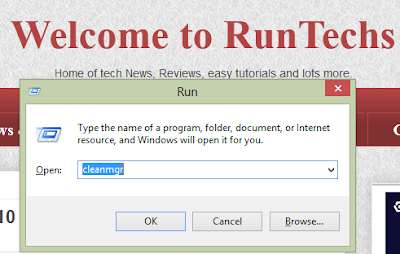
Disk Cleanup (cleanmgr.exe) is a computer maintenance utility included in Microsoft Windows designed to free up disk space on a computer's hard drive. The utility first searches and analyzes the hard drive for files that are no longer of any use, and then removes the unnecessary files. There are a number of different file categories that Disk Cleanup targets when performing the initial disk analysis:
Compression of old files
Temporary Internet files
Temporary Windows files
Downloaded program files
Recycle Bin
Removal of unused applications or optional Windows components
Setup log files
Offline web pages (cached)
WinSxS (Windows component store)

Read More »
usually after windows installation/upgrade on a computer you will notice that some space are consumed by the previous windows file and its data or after upgrading windows especially windows10
However, if your windows installation or the upgrade was successful and you've got everything working perfectly, then there's no need to keep these files there is need to clean the space and this can be done using Disk-clean-up-Manager
Disk Cleanup (cleanmgr.exe) is a computer maintenance utility included in Microsoft Windows designed to free up disk space on a computer's hard drive. The utility first searches and analyzes the hard drive for files that are no longer of any use, and then removes the unnecessary files. There are a number of different file categories that Disk Cleanup targets when performing the initial disk analysis:
Compression of old files
Temporary Internet files
Temporary Windows files
Downloaded program files
Recycle Bin
Removal of unused applications or optional Windows components
Setup log files
Offline web pages (cached)
WinSxS (Windows component store)
How to free Up space on your Disk after installing windows be it windows7, windows8, windows8.1 or windows10, on your PC
- Press Win + R shortcut keys together on the keyboard to open the Run dialog.
- Type the following in the Run box "cleanmgr"
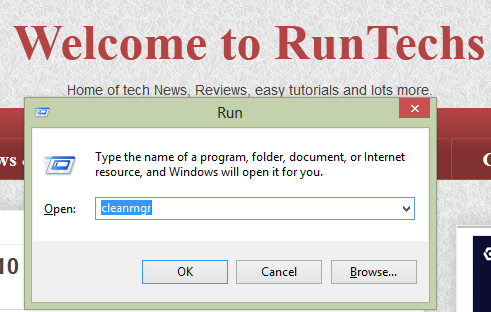
- Click the Clean up system files button to switch the Disk Cleanup tool to extended mode
 g
- Find and check the Previous Windows installation(s) item.

- Click OK and Then you are good to go.


